
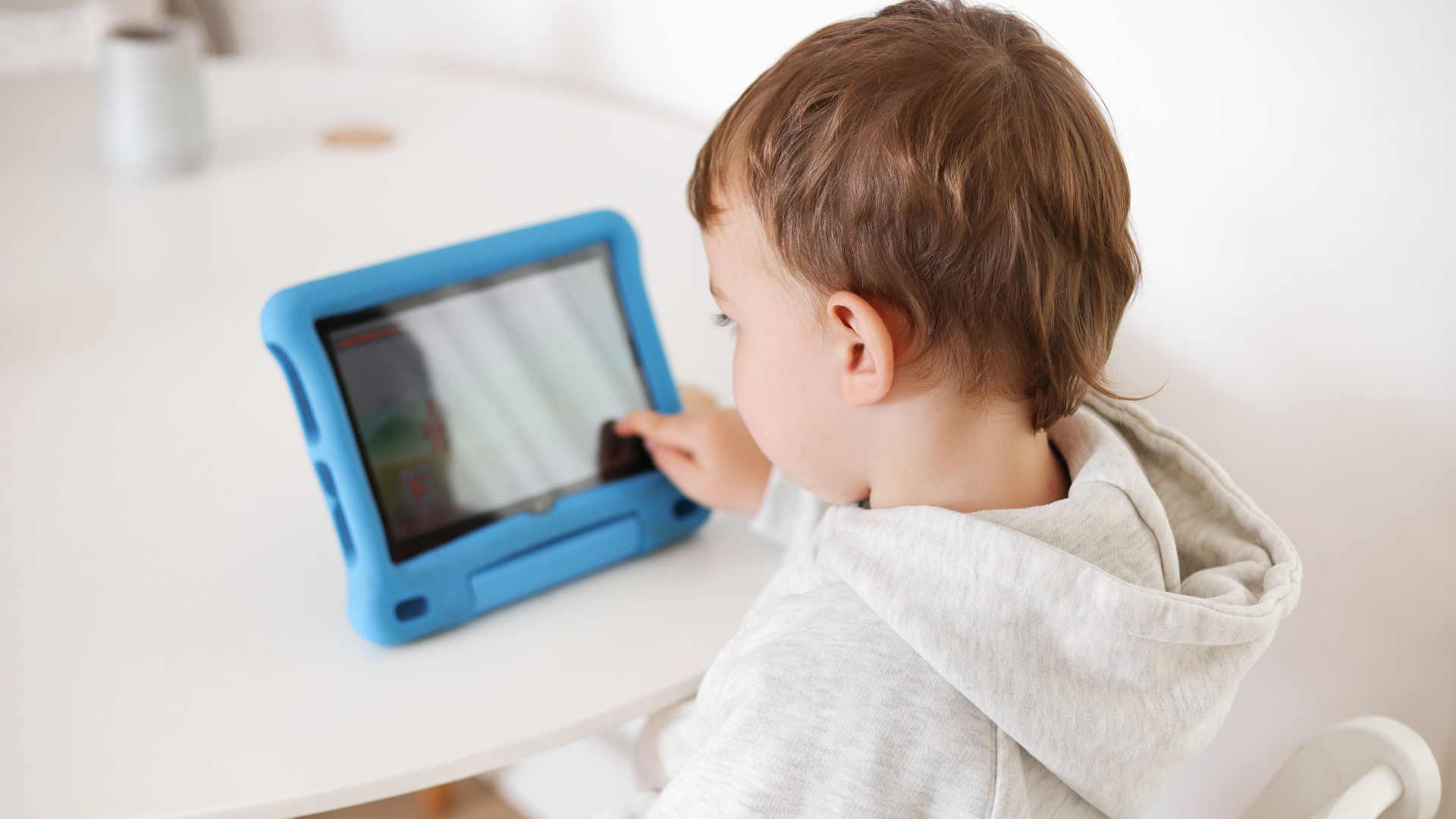
Screen Time in Childcare: How We Use Technology at Excel (and When We Don’t)
Technology has a small, supporting role at Excel Early Learning Centres. Play comes first and screens come second. Digital activities are short, led by an educator and linked to something the children are learning.
Tablets, laptops and interactive boards are part of everyday life now, so it’s no surprise families ask where they fit in childcare, and whether a three-year-old should be near a device at all.
It’s a fair question, and the honest answer is that it depends on how the technology is used.
At Excel Early Learning Centres, most of a child’s day is spent building, painting, climbing, talking and playing outside. Digital tools sit around the edges. In small doses they can spark creativity, offer a new way into an idea and build early confidence with technology children will use for the rest of their lives.
What “technology” means for us
It’s more than screen time. For an educator, technology is a set of tools: a smart board used for guided play with preschool language tools, tablets used for learning maths and shapes, and the app we use to send families a photo from their child’s morning are just a few examples.
Each one has a job, and none of them is there to keep children busy.
Coding for Preschoolers at Excel
Coding is one of the extracurricular activities included in the daily fee at Excel, alongside music, karate and more. For young children it looks nothing like sitting at a computer. They give instructions, test what happens, get it wrong, change the plan and try again. That’s problem-solving and sequencing, the same thinking they use when they build a tower or work out how to share the last block.
Because it’s part of the program rather than an add-on, there’s no extra cost or sign-up form, and every child in the room can take part.
Why we introduce technology at all
Done well, digital tools let children have a go at solving a problem, learn how devices work and tell a story with photos or drawings they made themselves. They press this, then that, and watch what happens. An educator sits beside them and talks it through.
The point is always the doing.
How it fits into our program
Play leads and technology follows. Our educators build each digital moment around whatever the children are already interested in. If a room is deep in a project about bugs, that’s when the microscope comes out.
Day to day, it might be:
- A photo, short video or written note capturing what a child worked on
- Those same updates going home so families can see the milestone too
- A short clip or activity that connects to a current project
- Music and movement sessions that get everyone up off the floor
- A group building a story, an artwork or a small presentation together
In our Preschool Program, digital activities are one small part of the week as children get ready for school. The rest of the day still belongs to play, the sandpit, paint and a lot of conversation.
How much screen time is appropriate?
The recommended screen time for Australian children by the NSW Government is:
- children younger than 2 years: no screen time
- children aged 2–5 years: no more than one hour per day; less is better
- children and young people aged 5 years and above: no more than 2 hours of sedentary recreational screen time per day.
Any good early learning service watches both the amount of time and what’s happening during it. Our sessions are educator run, and they link back to something the children are learning. Children are expected to join in by answering, asking questions and having a go. A child is never left in front of a screen to fill a gap in the day.
Keeping Children Safe with Technology in Childcare
Safety is part of how we work. Devices are always supervised and children only see content that suits their age. Every digital activity must earn its place against a learning goal. When we photograph a child’s work, their privacy is protected. Screen time never takes the place of the running, climbing and gloriously messy play that matters most.
That’s how good habits start young.
Since February 2026, national rules mean educators cannot have personal phones or other personal devices with them while working directly with children, and photos and videos of children can only be taken on devices owned by the centre. The photos we share with families come from centre devices.
Supporting different learning needs
Used well, technology can open a door for a child who finds the usual routes tricky. It gives some children another way to communicate and helps others pick up language. A child who learns best by seeing gets a picture to hold onto, and a tablet game can quietly build fine motor control while they think they’re just playing. It also lets an educator adjust an activity to suit one particular child, so nobody is left on the outer.
Building a healthy balance at home
You matter far more than we do here, because a child’s habits are set at home. A few things tend to work:
- Pick a screen-time limit and stick to it, even on the harder days
- Watch or play alongside your child
- Be fussy about what they’re watching
- Get outside every day
- Read together, even for ten minutes
- Turn screens off well before bed
- Let them see you put your own phone down
Screens are fine as one slice of the day, just not the whole plate.
How is technology used in the classroom?
This isn’t guesswork. It lines up with what educators see every day and with the thinking behind Australia’s early learning framework. Technology earns its place when an adult guides it, when it grows out of something a child already loves, and when it sits beside real relationships and hands-on play. Without those things, the benefit is lost.
We keep asking the same plain questions whenever technology comes into a child’s day: when, how and why. The easiest way to see our answers is in the rooms themselves, so book a tour and come see our Box Hill centre.
Frequently asked questions
Is technology bad for young children?
Not on its own. In small amounts, with a purpose and an educator alongside, it can do a lot of good. Balance is what matters.
Will my child still spend most of the day playing?
Yes, easily. Play is at the centre of everything we do. Technology is one tool in the drawer with all the others.
Is coding really suitable for preschoolers?
Yes, when it’s hands-on and play-based. Children learn to follow and give simple steps, test an idea and try again, which supports the problem-solving they use all day.
How do you keep children safe online?
An educator is present for every digital activity, the content suits the children’s ages, and we hold a firm line on privacy and child safety.
Can it help prepare my child for school?
It gives early literacy, problem-solving, communication and creativity a nudge, alongside everything play already teaches them.
What are the Australian screen time guidelines for children under 5?
Australian guidelines recommend no sedentary screen time for children under 2 and no more than one hour per day for children aged 2–5. We prioritise hands-on learning, active play and meaningful interactions to support children's development.
Do you use screens with babies and toddlers?
No. We prioritise screen-free experiences for babies and toddlers, encouraging learning through sensory play, movement, music, books and hands-on exploration.
Can educators use their phones in the rooms?
No. Educators cannot use personal mobile phones while supervising children. This ensures their full attention remains on children's safety, wellbeing and active supervision.
How do you protect photos of my child?
We follow strict privacy and child safety procedures when taking, storing and sharing photos. Images are only shared with appropriate parent or guardian consent through secure, approved platforms.